Back-office for multi-location owners
See every location without setting foot in it.
Daily close, stock counts, and schedules from every site land in one place. No more spreadsheet per location, no more WhatsApp threads.
30-day trial · card at signup
Sound familiar?
The more locations you add, the less you see.
- 01
Every location closes out in its own spreadsheet. You spend the evening merging them.
- 02
You hear about an empty shelf after the sale is already gone.
- 03
Schedules and shift swaps live in a group chat nobody can audit.
One system, four jobs
What every location reports, every day.
Daily close
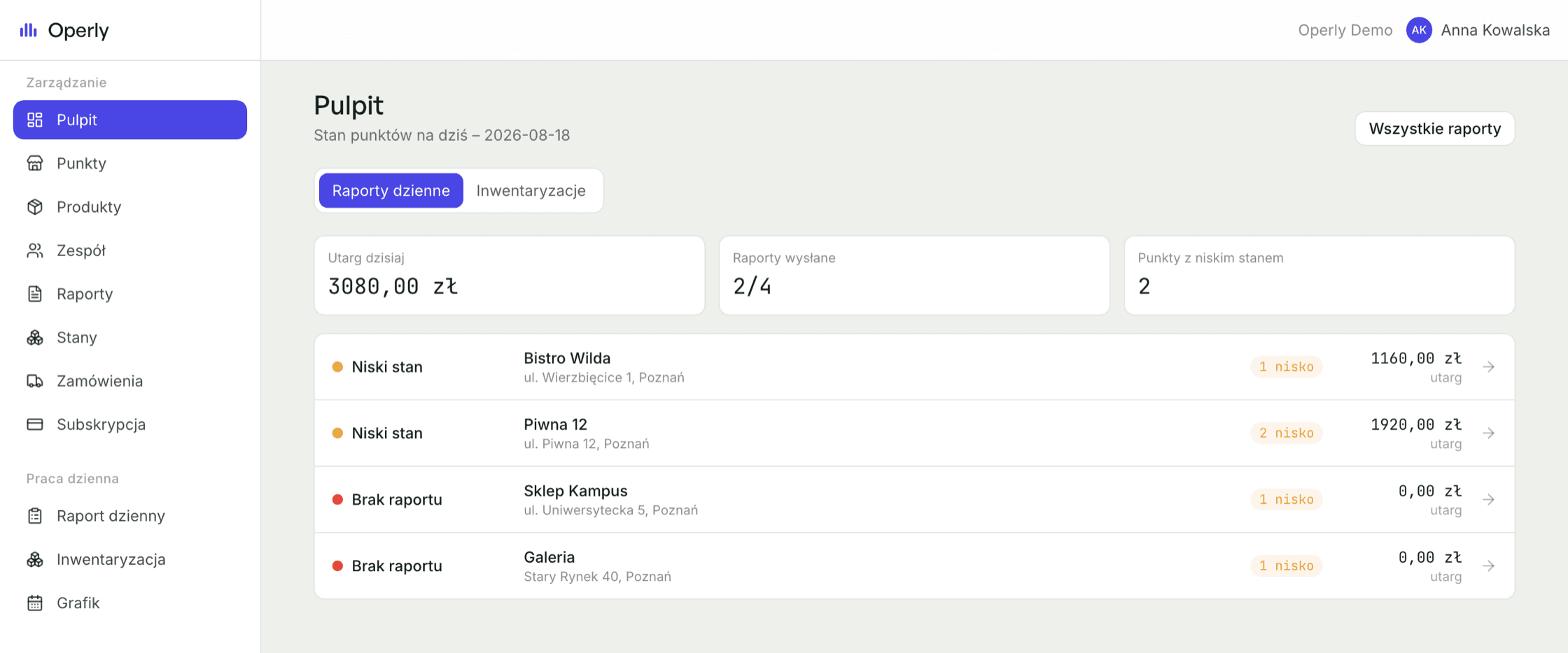
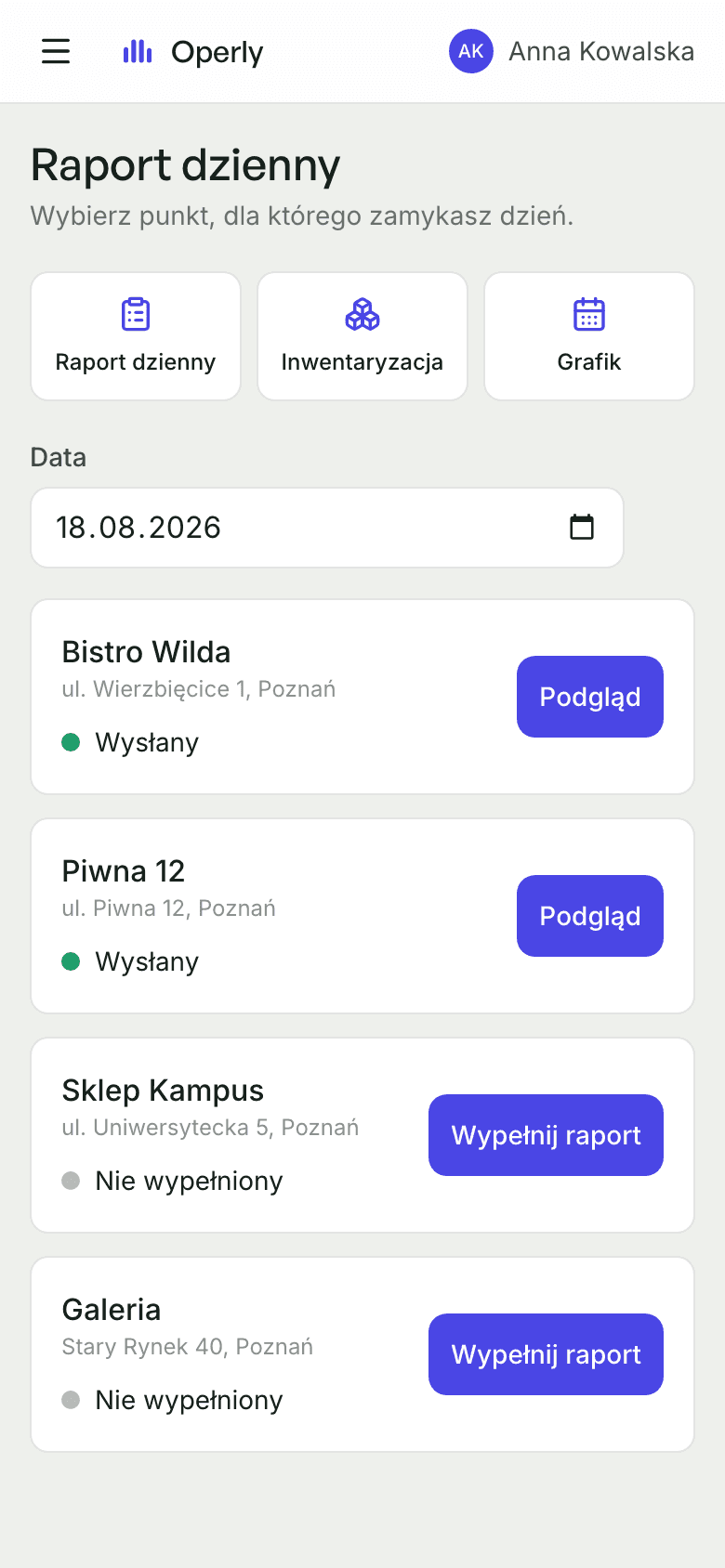
Staff file one report at close. You get revenue and units sold from every site, added up.
Inventory counts
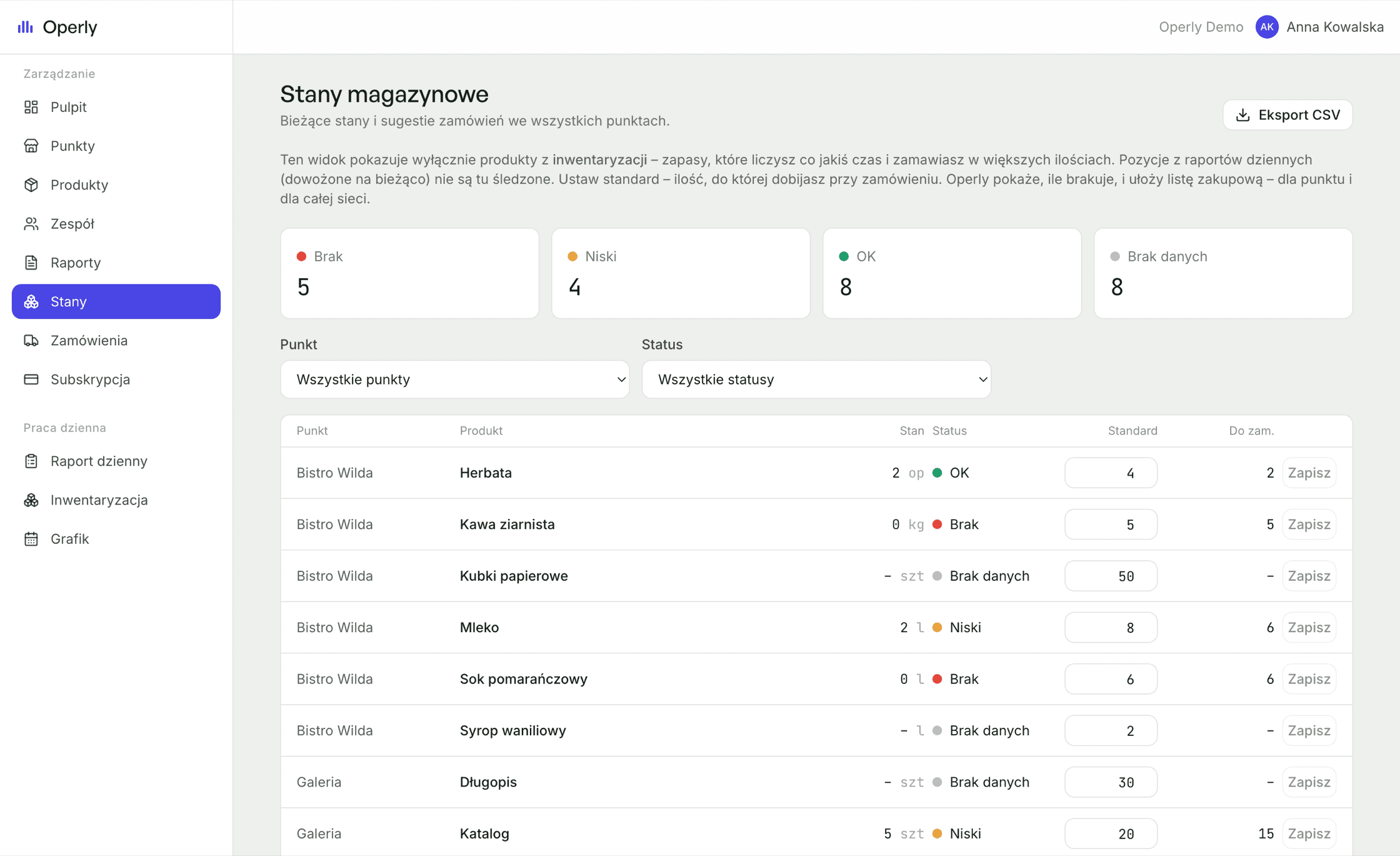
Counting stock becomes a habit, not an emergency. Low and empty items surface the moment they happen.
Scheduling
Staff post availability, you build the week. Shift swaps need your approval, so there's always a record of who worked where.
Reorder suggestions
Set one standard level per product, per location. Every count becomes a shopping list, for one site or the whole chain.
On the roadmapDemand forecasting
See it working
This is the actual product.
Screenshots from the running app, not mockups.
How it works
Live in an afternoon.
- 01
Add your locations and products – type them in or import a CSV.
- 02
Invite your team by email. They set a password on one screen and they're in.
- 03
By the first evening, every location's numbers are on one dashboard.
Who it's for
Built for owners, not head office.
For owners running 2–15 locations who've outgrown spreadsheets and don't want enterprise software.
Trust
Your numbers stay yours.
- Every business is isolated at the database level. No other company can see your numbers.
- Staff see their own location and their own reports. Never revenue across the chain.
- You grant access and take it back yourself, any time, in one click.
Questions owners ask
Can my staff see what each location makes?+
No. Staff only see the reports and counts they file. Revenue and cross-location views are owner-only, enforced by the database, not just hidden in the interface.
When am I charged?+
On day 31, not before. We take your card at signup so the account keeps working after the trial. Cancel before day 31 and you pay nothing. We email you ahead of the first charge.
Does my team need to create accounts?+
No. You invite them by email; they click, set a password on one screen, and they're in. After that it's just a password.
Can I bring my existing product list?+
Yes. Add products by hand or upload a CSV, then decide per location whether each one shows up in the daily report, the stock count, or both.
Can there be more than one owner?+
Yes. The first owner sets up the business and can invite others with full access, for partners or co-managers.
What if I only have one location?+
Operly works, but it pays off most once you're running several. That's the point where spreadsheets break down.
Is my data separated from other businesses?+
Yes. Each business is isolated at the database level, so no other Operly customer can reach your data.
Can I cancel and take my data with me?+
Any time. The data is yours and stays exportable.
Book a demo
See Operly on your own locations.
Tell us about your setup and we'll walk you through it, or send a link so you can start on your own today.
Stop finding out a day late.
30-day trial. Cancel any time.